Features
What NavGPS does
One $9.99 purchase. No subscription, no ads, and no account unless you want your tracks backed up. Step-by-step instructions live in the how-to guides.
Maps that work with no signal
Download what you need before you leave, at the detail level you pick, and keep navigating when the bars run out.
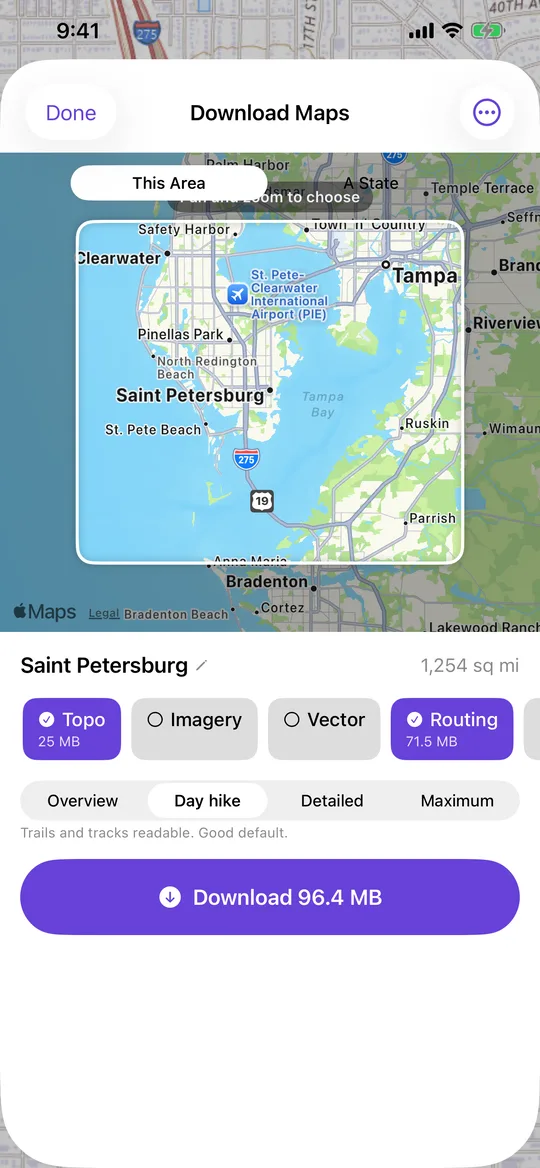
Offline map downloads
Choose an area, a state border or a corridor along a track. The size is on the button before you commit, and NavGPS can fetch the ground you are driving over on its own.
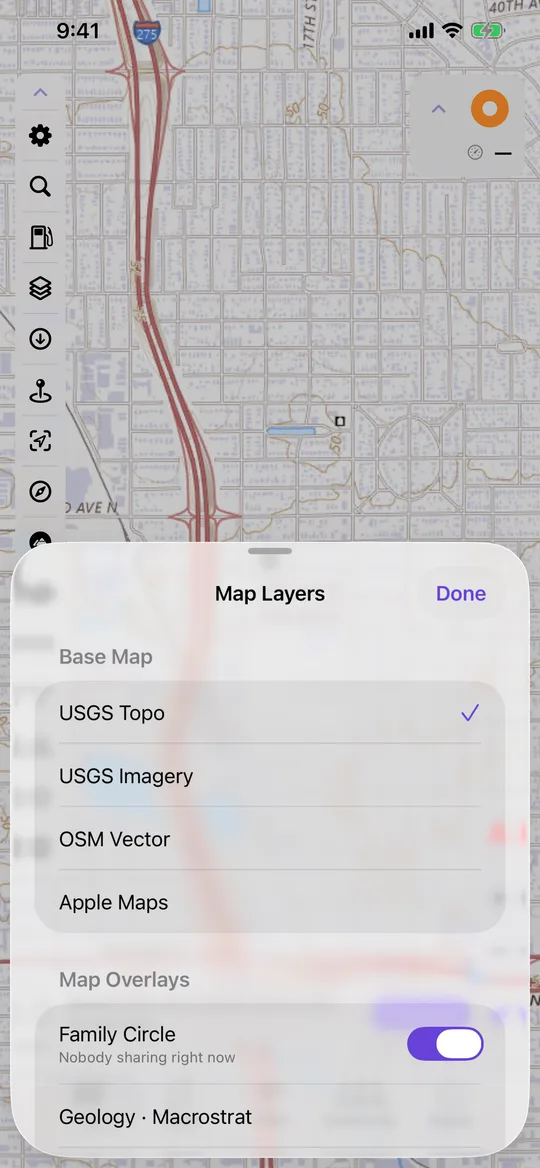
Layers worth stacking
USGS topo, satellite, OpenStreetMap vector and NOAA charts, with slope angle, geology, hydrography, watersheds, radar and speed limits over the top.
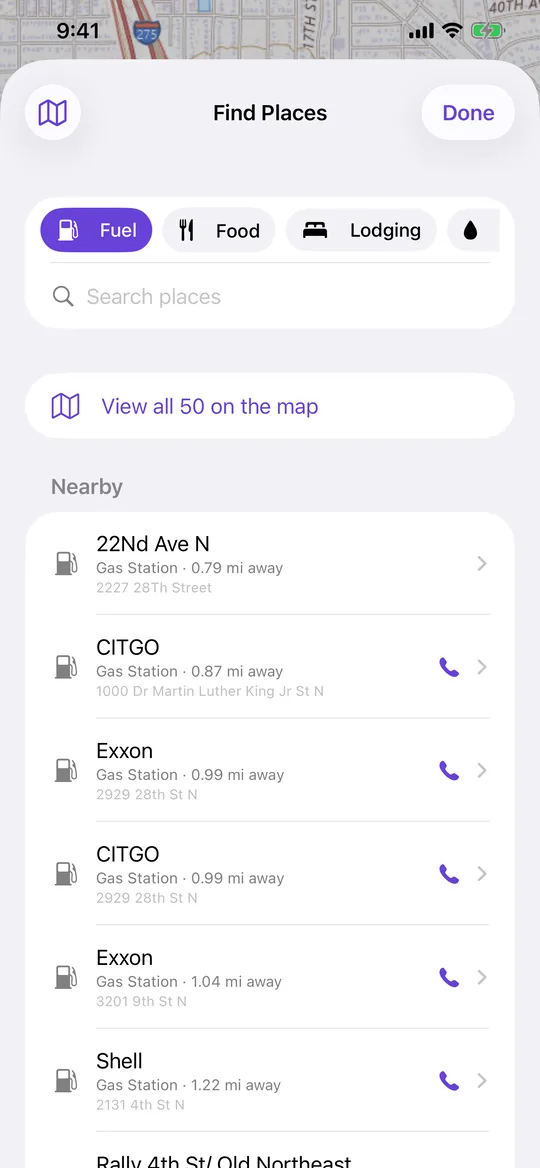
Offline place search
Fuel, food, lodging and camping answered from a downloaded pack, so searching works in Airplane Mode.
Recording where you went
Every trip becomes a track with an elevation profile, playback and photos pinned where you took them.
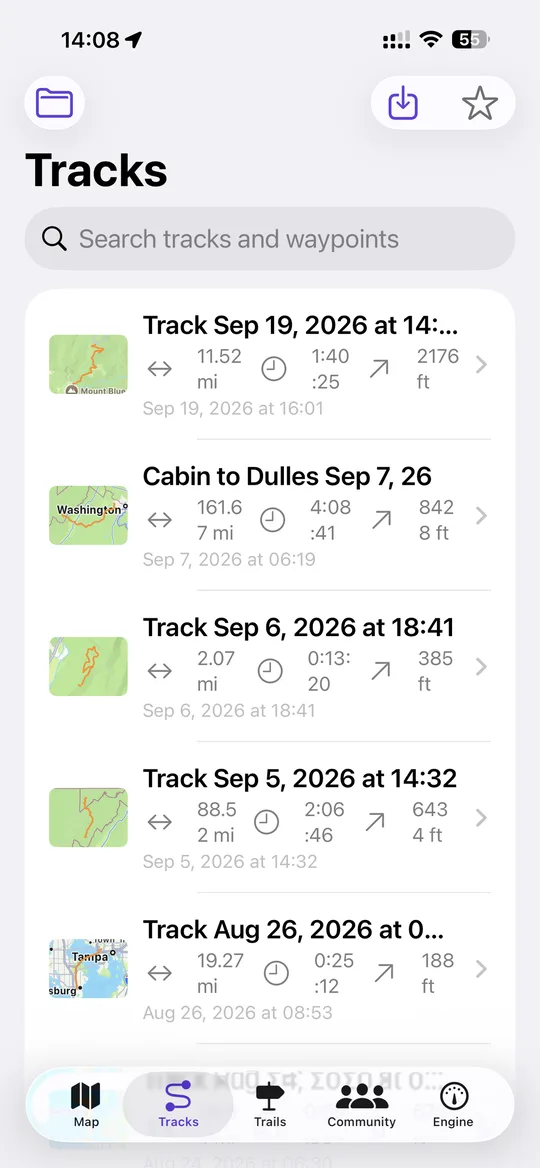
Track recording
Distance, elevation, moving time and pace, with auto-pause, passive breadcrumbs and spoken callouts while you drive.
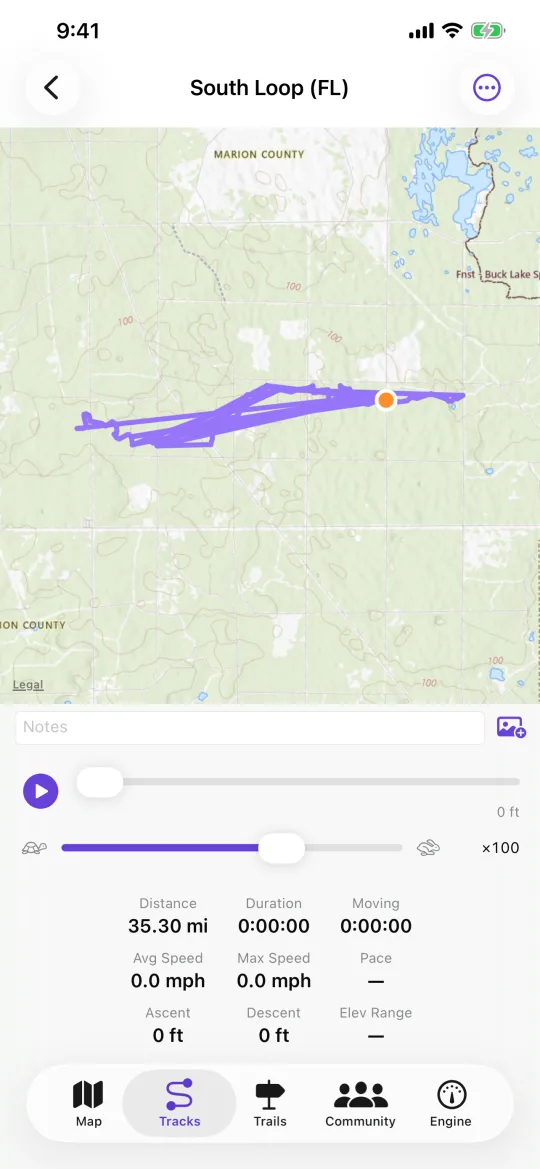
The detail that comes back
Map, elevation profile, playback and statistics for every recording — and GPX, KML or KMZ in and out, so nothing is locked in.
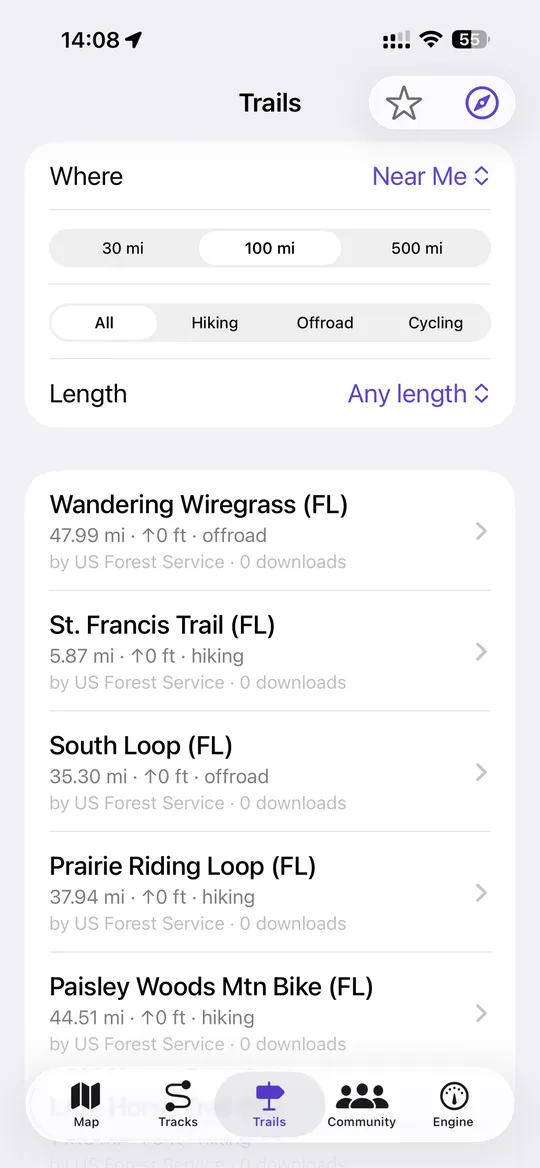
Trail Library
Published routes from the US Forest Service, state agencies and other users, downloadable straight into your own tracks.
Knowing where everyone is
Two kinds of sharing, kept apart on purpose: one that stays on for family, one that lasts a single ride.
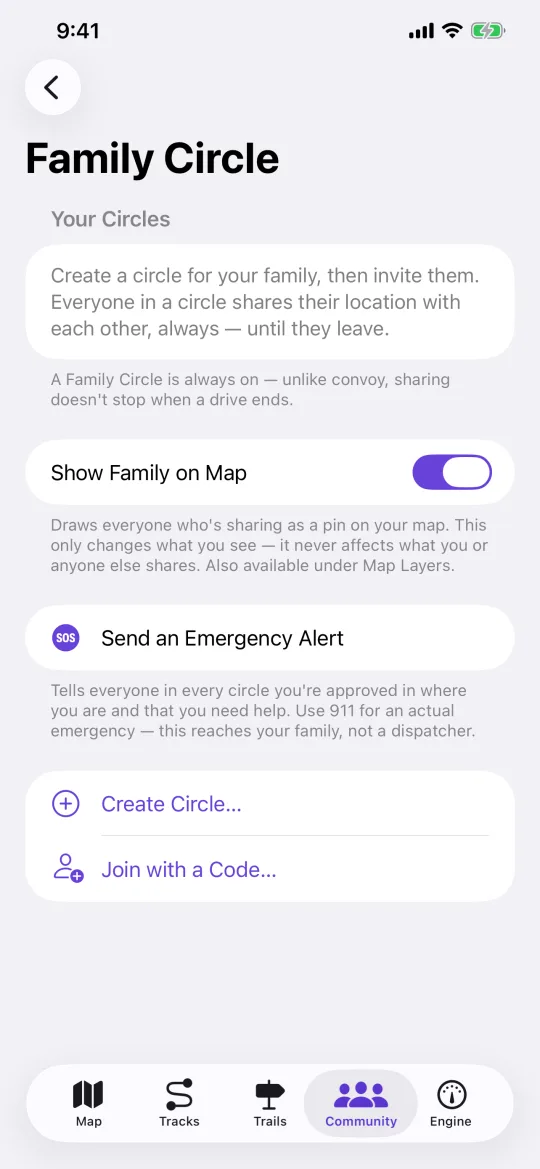
Family Circle
Always-on position sharing with people the owner approves. Name anyone in the circle and give them an emoji so four pins are four faces, not four dots.
Home screen widget
Up to six people on your home screen with their emoji, the town they are in and how long ago — whoever is moving first. On by default, and one switch turns it off.
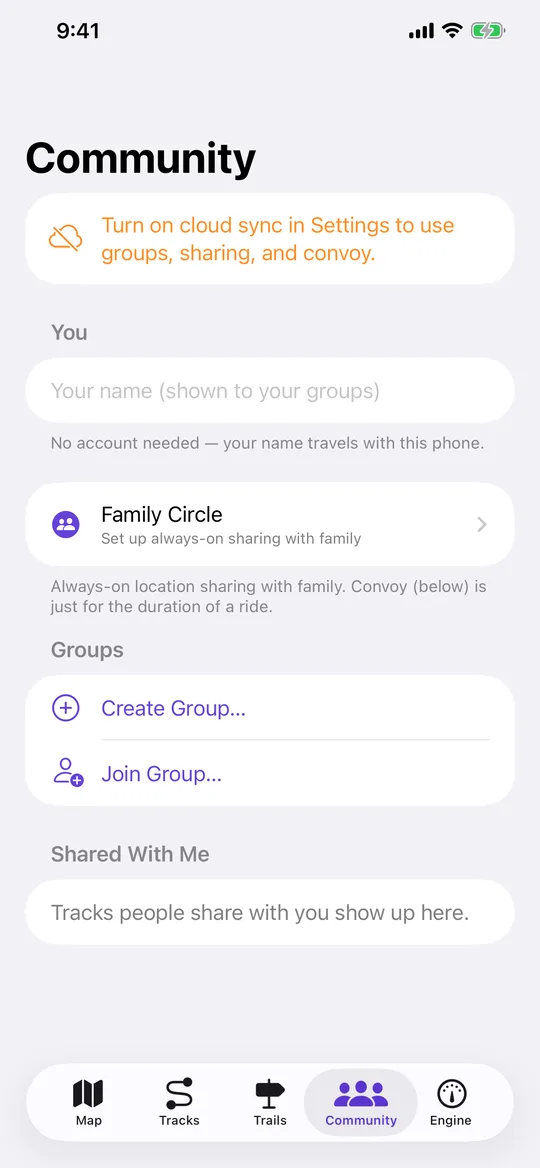
Groups and convoy
A code you hand your crew, a shared inbox of tracks, and a live convoy map for the length of the drive. Someone can follow from a browser without the app.
Crash detection
While a drive is recording, an impact followed by a stop raises an alert. It asks you first with a countdown, then tells your circle — not emergency services.
Reading the ground and the sky
The planning tools that have nothing to do with where you are now.
Radio line of sight
Drop a target and NavGPS profiles the terrain between you and it, or sweeps to show everywhere you could be heard from. Terrain only — it cannot see trees.
Slope angle and 3D terrain
Steepness shaded in the colours every backcountry map uses, computed on device, plus a 3D explorer that drapes satellite or topo over real elevation.
Weather, radar and tides
The NWS forecast where the map is looking, an animated national radar loop, and seven days of NOAA tide predictions for the nearest station.
What the vehicle knows
With an OBDLink MX+ plugged in, the engine becomes another instrument on the map — and nothing is invented when it isn't.
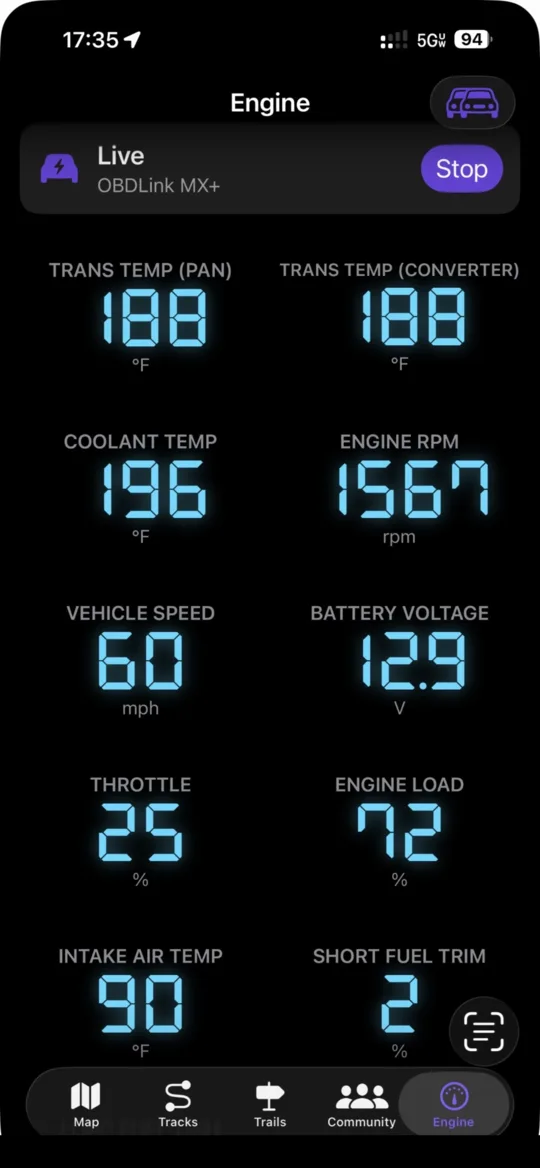
Engine dashboard
RPM, coolant, transmission temperature, load, trims and fuel economy, arranged how you want them, logged against the track you are recording.
Alarms and diagnostics
Threshold alarms that speak aloud when something is cooking, trouble codes read and cleared in words, and acceleration timing off the vehicle's own speed sensor.
Your own parameters
Manufacturer-specific readings no standard PID covers — supply the request and the formula and it behaves like any other gauge.
Your tracks, everywhere
Optional, off by default, and the thing that makes a lost phone survivable.
Cloud sync
A copy of every track on navgps.app, with no email and no password — the app registers the device itself.
The web app
The same tracks on a full screen, signed in with a six-digit code you approve from the phone. No password anywhere.
Plate reader map
Automated licence plate readers from OpenStreetMap, downloaded per area and stored offline, drawn small and unobtrusive.