Download a place pack for where you're going
A place pack is a prepared database of points of interest for a region. With one installed, the search works in Airplane Mode.
Steps
-
Open the catalog
Settings → Download Place Packs…. -
Pick your region
Each pack lists its size and what it covers. Tap Get. -
Search offline
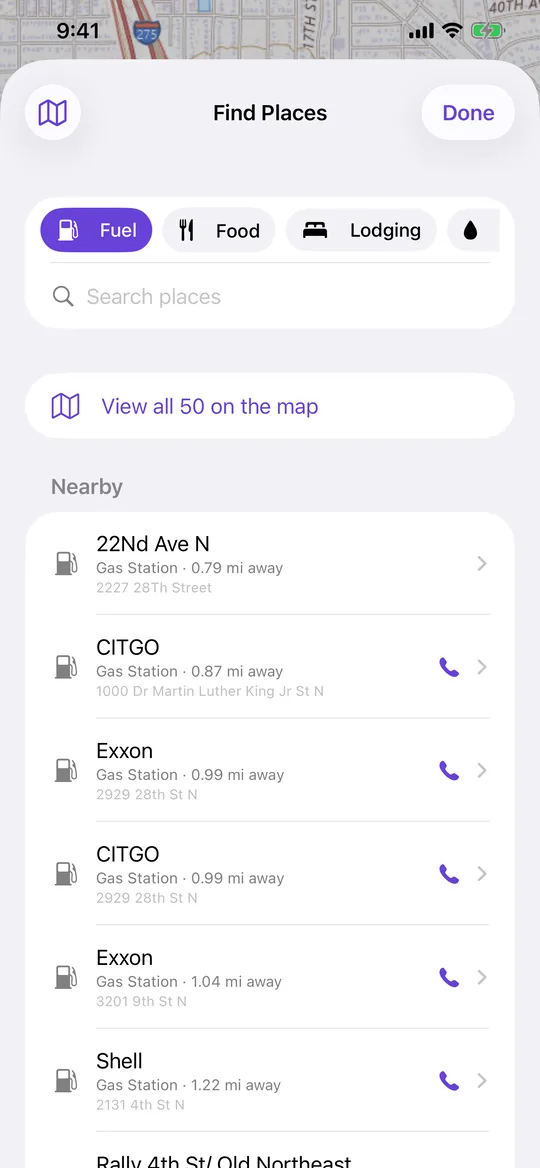
Map tab → the fuel-pump icon → pick a category. Results come from the pack, so Airplane Mode changes nothing. -
Remove what you don't need
The same screen removes a pack and reclaims the space.
Worth knowing
- Place packs can also be included when you download a map area, which saves doing this separately.
- With a signal, the live search covers anywhere a pack doesn't.