Engine data and OBD-II
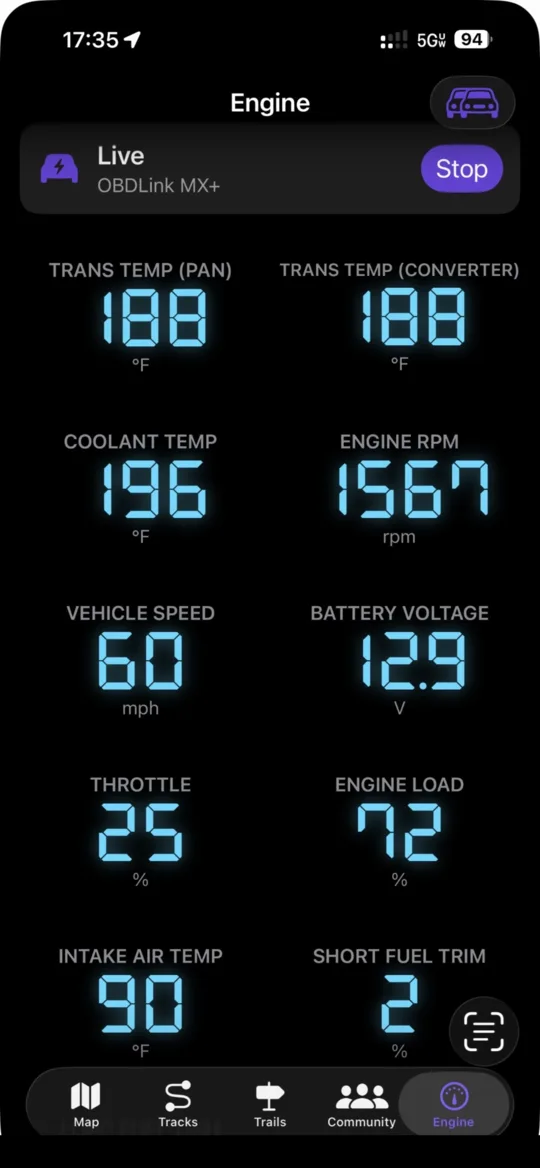
With an OBDLink adapter plugged into the vehicle, NavGPS reads live engine data and puts it on a dashboard you arrange yourself: coolant and intake temperature, RPM, speed, load, throttle, fuel trims, battery voltage, fuel level, air flow and manifold pressure, plus Toyota and Lexus transmission temperature, which is the reading this part of the app was built for. Those readings can be alarmed, logged against the drive you are recording, turned into live fuel consumption and range, and shown in a corner of the map while you navigate.
Connecting, and why a connection fails
The adapter is an MFi accessory, so it is paired in iOS Bluetooth settings and then handed to the app by the system. The app runs the ELM327 and STN initialisation handshake, lets the adapter auto-detect the vehicle's bus protocol on the first request, and remembers what it found. On the next connection to the same vehicle it skips the slow reset and forces the protocol it already learned, which removes most of the ten to twelve seconds a cold connection costs. Auto connect, on by default, does this whenever a known adapter is present.
When it does not work, the screen distinguishes causes that used to look identical and have opposite fixes. An adapter the app can see but has not connected to is not the same as one iOS is refusing to hand over, and the screen reports how many accessories iOS is offering the app at all. Most often the adapter is simply asleep — it runs off the OBD port and powers down once the vehicle has been off a while, which drops the data channel even though iOS still lists it as connected — and turning the key on wakes it. If it stays hidden, there is a button that asks iOS itself to establish the accessory session, which is the only thing that can fix the case where Bluetooth says connected and the app sees nothing. A diagnostics screen lists every paired adapter iOS is offering the app and what each one says it can do, so you can see where the chain is broken instead of guessing.
What it reads, and what it refuses to guess
Which parameters appear depends on what the vehicle actually answers. The app reads the standard supported-PID bitmasks to find out, with retries on the first one because protocol detection happens on that very request and can time out before the adapter has locked onto the bus. If the probe comes back empty, rather than abandon every standard reading — the failure where only the transmission temperature shows up — it polls them all and lets the genuinely unsupported ones fall away, since those return no data and never appear. Enhanced parameters, which have no support bitmask, are tried once and kept if they answer.
Polling is round-robin by refresh tier, so fast-moving readings like RPM and speed update every cycle while thermal readings that barely change are asked for far less often. Transmission pan and converter temperature come from the Toyota and Lexus enhanced service, decoded with the equation from OBDLink's own documentation and stored canonically so unit conversion behaves like every other temperature. If the adapter stops answering — the vehicle has been switched off, or you have walked away — the app drops the link and clears the readings after a run of timeouts, instead of leaving a frozen number on screen that looks live.
A dashboard you arrange, and alarms that are not noise
Each parameter can be drawn as a seven-segment digital readout, which packs several to a screen, or as a real dial with a needle and warning arcs for the one or two things you are watching rather than reading; either can be made full width. Order is yours to drag. The layout is stored as a set of overrides keyed by parameter, not as a fixed dashboard, so a parameter the layout has never seen — a new built-in, or a custom one you added yesterday — shows up with sensible defaults rather than being invisible until you find the layout screen. Out of the box, temperatures sort first, because that is what this app is for. Warning and danger thresholds are per parameter in your own units, so a readout turns amber and then red on its own.
On top of that you can set a threshold alarm on any parameter the vehicle reports — tell me if the transmission goes over 240 — and a strip stays on screen while one is sounding. Thresholds are stored in the units you typed them in, so someone who set 240 °F still sees 240 after switching the app to metric for a trip to Canada rather than a converted figure that reads like a typo. An alarm has to recover past its threshold by a margin before it can fire again, because a value hovering on the line would otherwise alarm, clear and alarm again on every poll, which is the classic way an alert becomes noise people switch off.
Custom parameters and trouble codes
Anything manufacturer-specific — boost, oil temperature, individual cylinder trims, gear position — can be added as a custom parameter: the request to send, the reply bytes to look for, and a formula to turn those bytes into a number. That is exactly the form people find these in on forums, so it is what the editor asks for. A definition is validated before it can be saved, and there is a live test that sends the request once and shows both the raw reply and the decoded value, so a wrong formula is obvious before it becomes a wrong gauge. A custom parameter the vehicle does not answer never appears at all, rather than showing an invented number.
Diagnostic trouble codes are read and cleared through the standard services that every OBD-II vehicle supports, so that part needs no make or model: stored and pending codes are decoded to the usual form, labelled by system, and marked as either generic or manufacturer-specific. The VIN is read from the vehicle where available and decoded for the model year and manufacturer, and an adapter can also be assigned a year, make and model by hand from the NHTSA lists — useful because those lists are good but not complete, and a kit car or an import missing from them does not stop the adapter working.
Fuel burn, cost and range
Fuel figures are derived from the readings already coming down the link, so they add no extra traffic. The direct route is the mass air flow sensor: under closed-loop control the engine holds close to the stoichiometric ratio for its fuel, so air flow is a usable proxy for fuel flow, and the app keeps the air-fuel ratio and the weight of a gallon for gasoline, diesel, E85, LPG and CNG. A vehicle with no MAF sensor falls back to speed density, deriving air flow from manifold pressure, RPM and intake temperature, which is why that method needs the engine's displacement and volumetric efficiency. If the selected method produces nothing, the other one is used rather than showing an empty panel.
From there come instantaneous burn rate, instantaneous economy (blank while stopped, because a stationary vehicle has no miles per gallon and a zero reads as a broken sensor), the economy and fuel used over the current drive, and what that drive has cost. Range needs the tank size, which turns a fuel-level percentage into gallons; it is calculated from a distance-weighted rolling average of recent driving rather than from the current trip, because the first two miles of a cold drive say nothing about the next two hundred, and it is marked as an estimate while it is still falling back on the EPA rating. The setup screen fetches displacement, cylinder count, fuel type and the published EPA ratings for your year, make and model rather than asking you to look them up; tank capacity is the one figure the EPA does not publish for combustion vehicles, so it stays a field you fill in.
Logged against the drive, and timed
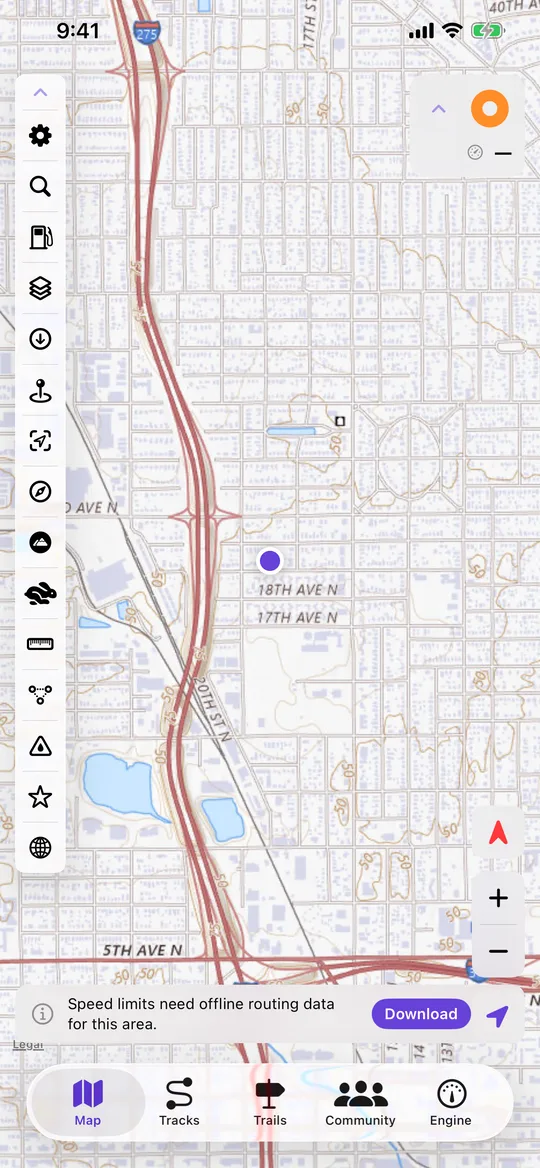
Every reading taken while a track is recording is stored with a timestamp against that track, which is what lets a finished drive be coloured by transmission temperature, coolant temperature or vehicle speed along its route. Selected readings — transmission temperature, coolant, voltage, OBD speed, fuel range — can also be shown in the map's own panel so a long tow does not mean switching screens.
Acceleration timing measures 0–60 and the quarter mile with the splits in between. It prefers the vehicle's own speed sensor over GPS, because it updates faster, does not lag under hard acceleration, and is already corrected for tyre size by the speed calibration; GPS is the fallback so the feature still works with no adapter. Because an ELM327 only samples at a few hertz — coarse enough that a car doing 0–60 in seven seconds gains nearly 2 mph between samples — every split is interpolated between the two samples that straddle it and distance is integrated trapezoidally, rather than reporting the first sample past the line.