See everyone's vehicle for the length of one ride
A convoy is ride-scoped on purpose. Everyone sees everyone while the drive is happening, and that is the end of it — the people you wheeled with once never end up in your family's always-on sharing.
Before you start
- Cloud sync turned on, by everyone joining
Steps
-
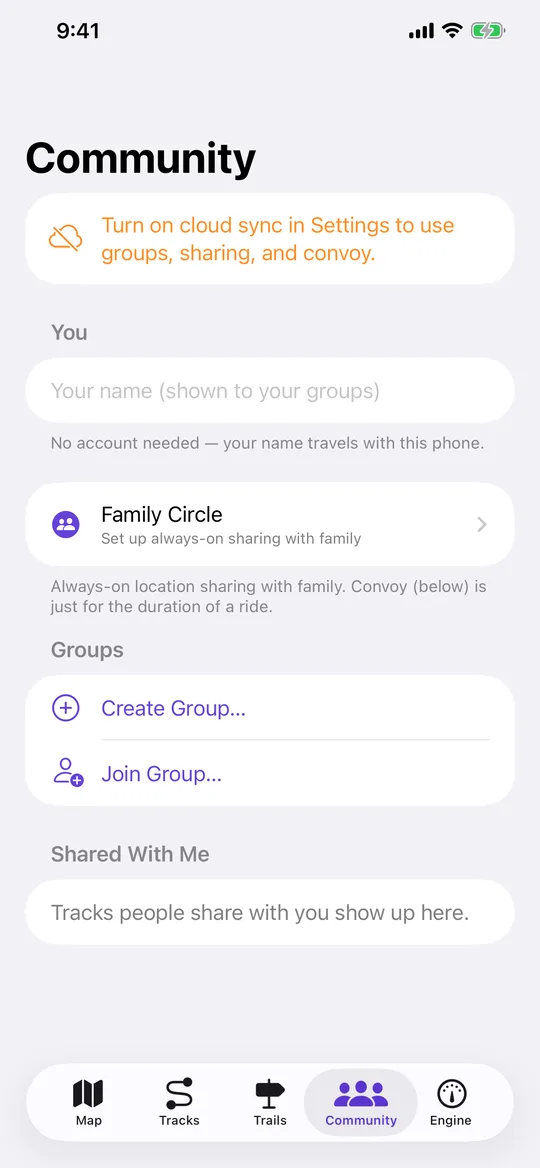
Create a group
Community tab → Groups → create one and name it for the run. -
Hand out the code
The group has an invite code and a link. Anyone with it can join — this is a trail run, not a family circle, so there is no approval step. -
Open the convoy map
Open the group and start convoy. Every member's vehicle appears on the map in its own colour, updating as they move. -
Watch from anywhere
Someone without the app can follow along at navgps.app/convoy with the same code — useful for whoever is meeting you at the other end.
Worth knowing
- Convoy ends when the ride does. Family Circle is the one that stays on — see setting up a Family Circle.